Managing Product Options
A comprehensive guide to managing product options and understanding the Any mode
Understanding Options Management
Options are the specific values available for each product attribute. Effective options management is crucial for creating a clear and organized product structure.
Options in Product Attributes
Product attribute options are specific to individual products:
| Feature | Description |
|---|---|
| Product Specificity | Options are unique to the current product |
| Flexibility | Complete freedom in naming and structuring options |
| Management | Simple, direct, without affecting other products |
Adding New Product Options
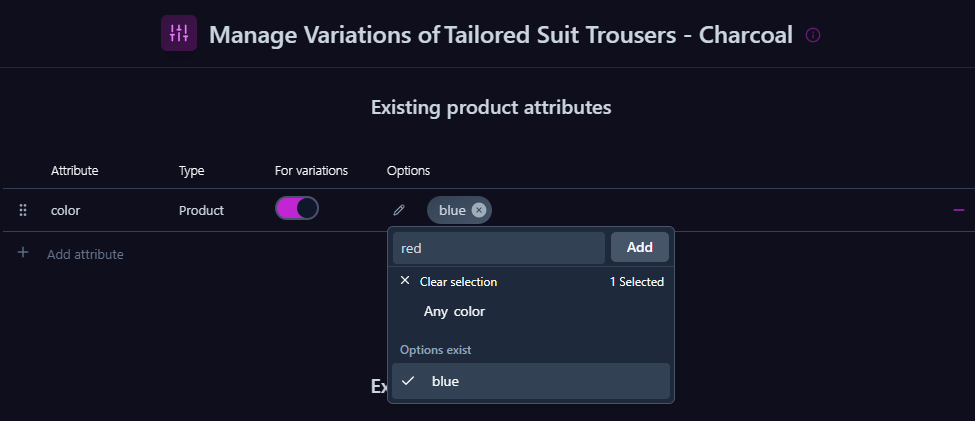
- Click the edit button (pencil icon) next to the desired attribute
- Enter the new option name
- Click "Add"
Options in Global Attributes
Global attribute options are managed centrally:
| Feature | Description |
|---|---|
| Centralization | Options are managed centrally and shared across products |
| Standardization | Consistency across all products using the attribute |
| Maintenance | Central updates affect all products using the option |
Adding New Global Options
- Click the edit button next to the global attribute
- Choose one of two methods:

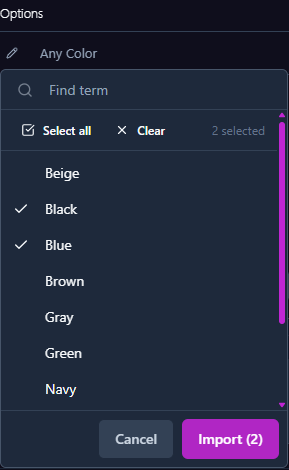
Option 1: Import from existing terms
- Select from the existing terms list in the global attribute
- This uses values already defined in WooCommerce
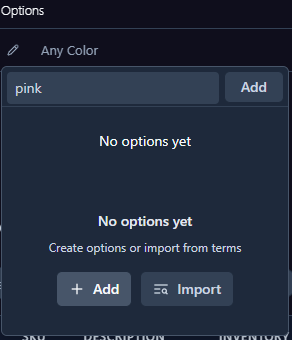
Option 2: Create a new term
- Create a new term that will be added to the global attribute library
- This new term will be available for use in other products as well
The "Any" Mode
Understanding Any Mode
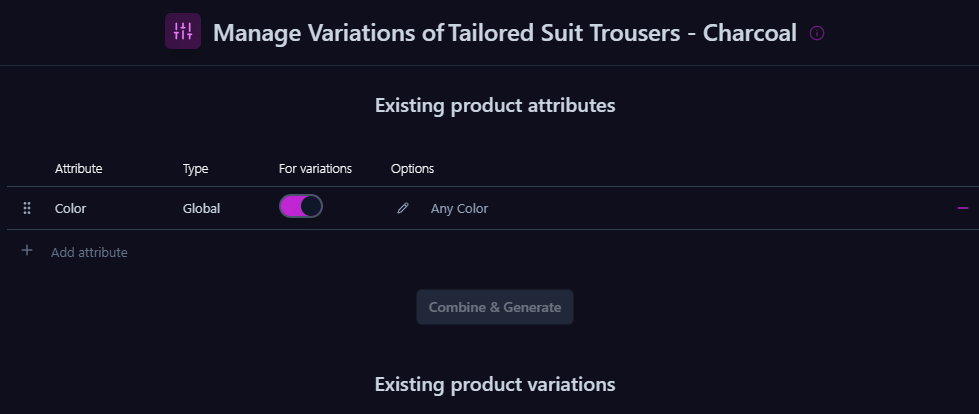
"Any" mode is a unique feature that provides maximum flexibility in options management.
When to Use Any Mode:
| Use Case | Description |
|---|---|
| Uniform Pricing | When all options are sold at the same price |
| Shared Inventory | When separate inventory tracking isn't needed |
| Simple Display | When different images aren't needed for each option |
Benefits of Any Mode
-
Simplified Management
- Fewer variations to manage
- Faster updates
- Reduced error potential
-
Enhanced User Experience
- Simpler selection interface
- Faster page loading
- Less confusion in purchase process
Pro Tip:
Use Any mode when you want to offer multiple options without the complexity of full variation management.
Limitations of Any Mode
-
Pricing Constraints
- Cannot set different prices for different options
- Cannot apply specific discounts to certain options
-
Inventory Management
- No separate inventory tracking per option
- Limited ability to manage specific option alerts
-
Display Limitations
- Cannot show different images per option
- Limited ability to display option-specific information
Important:
Consider these limitations when deciding whether to use Any mode for your products.