Product Attributes and Their Configuration
Explanation of different attribute types in the system and how to configure them
What is a Product Attribute?
A product attribute is a characteristic that defines different aspects of your product. The system supports two main types of attributes, each serving different purposes.
Types of Attributes
1
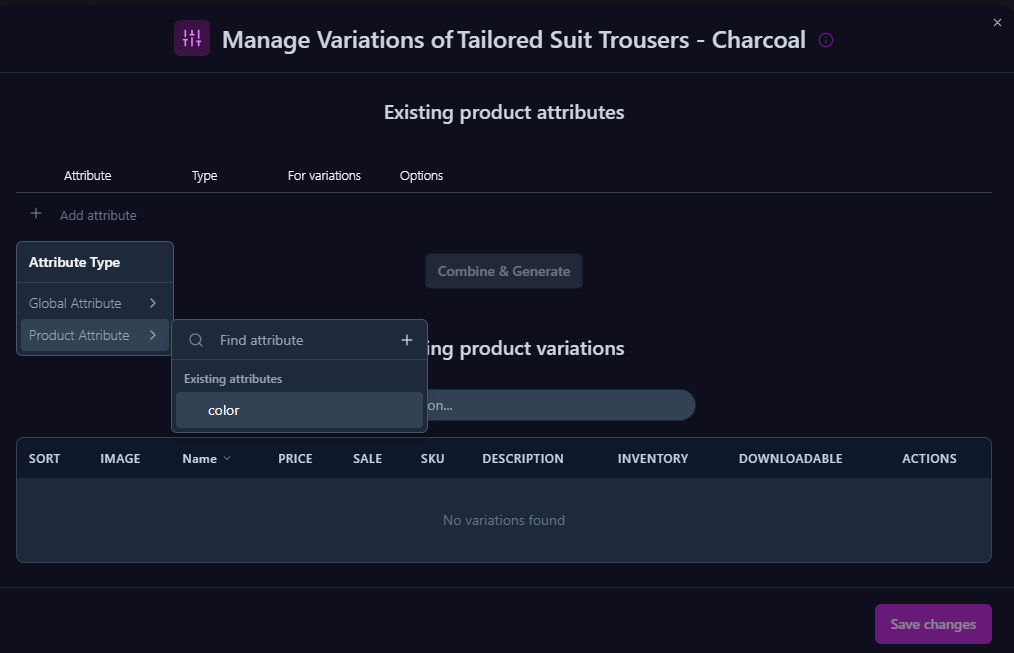
Product Attribute
Product attributes are specific to an individual product.
When to Use:
- When the attribute is unique to this product
- When there's no need to share with other products
- When maximum flexibility is required
Common Examples:
- Storage capacity in mobile phones
- Frame material in glasses
- Engine type in vehicles
2
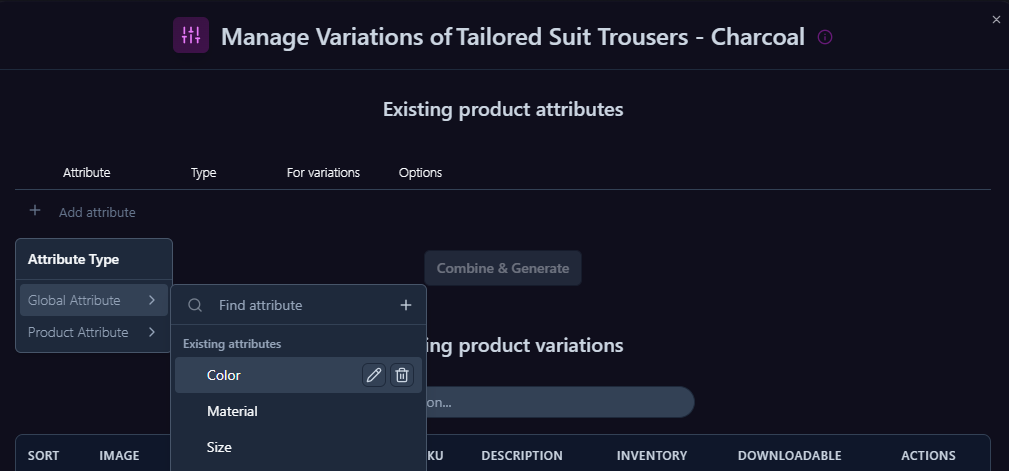
Global Attribute
Global attributes are shared across multiple products and enable standardization.
When to Use:
- When the same attribute appears in multiple products
- When maintaining consistency across the store
- When filtering and searching by attribute is required
Common Examples:
- Clothing sizes (S, M, L)
- Standard colors
- Common materials
Choosing the Right Attribute Type
| Criterion | Product Attribute | Global Attribute |
|---|---|---|
| Reusability | Not Required | Required |
| Flexibility | Maximum | Limited |
| Maintenance | Simple | More Complex |
Creating New Attributes
Attribute Addition Process
1
Accessing the Variations Management Window
- Locate the product you want to add variations to in the products table
- Switch the row to edit mode
- Find the "Type" column
- Ensure it's set to "Variable Product" (variations product)
- Next to the "Variable Product" setting, there's a variations management button
- Click the button to open the variations management window
2
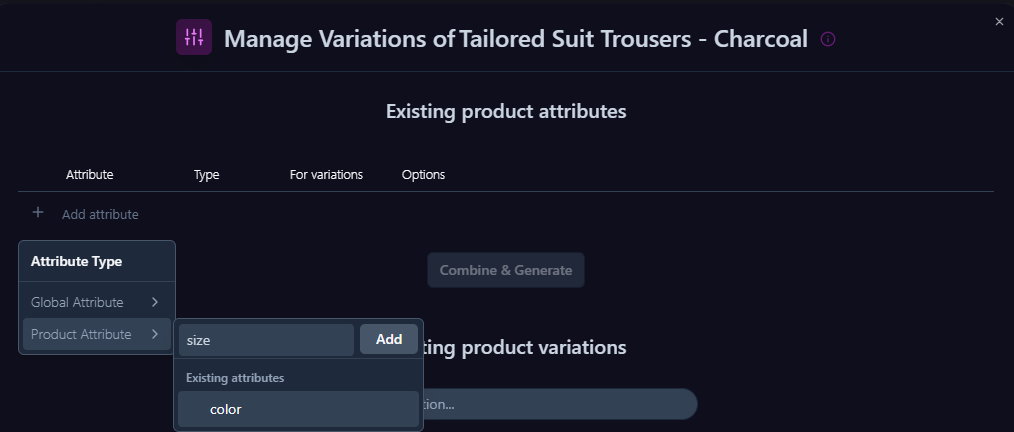
Adding a New Attribute
- Click "Add Attribute"
- Choose the appropriate attribute type
- Select an existing attribute, or create a new one
Best Practices
- Plan Ahead
- Define attributes before adding products
- Consider uniform structure for each category
- Maintain Consistency
- Use global attributes when possible
- Keep names consistent and structure proper
- Documentation
- Document attribute usage
- Perform periodic reviews to identify duplications
Important:
Take time to plan your attribute structure as it significantly impacts both store management and customer experience.