Managing Existing Variations
Guide to managing existing product variations in the system
Managing Existing Variations
1
Variations Table
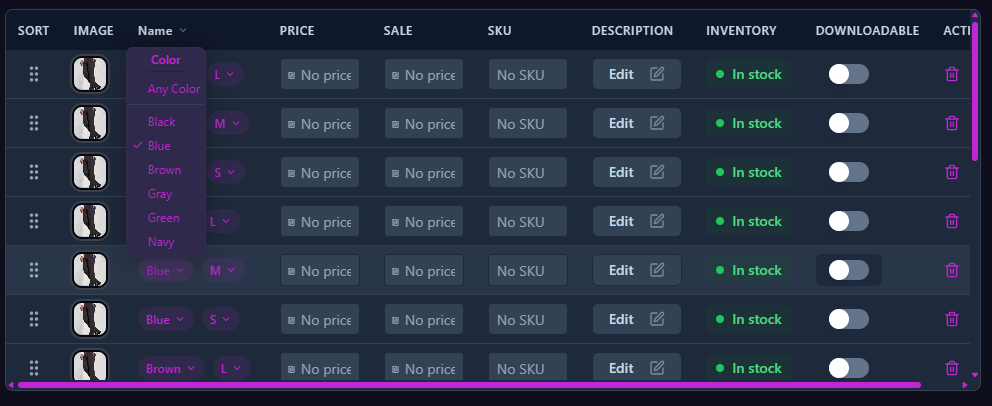
The variations table displays all existing variations for the product:
| Column | Description | Example |
|---|---|---|
| Attributes | Combination of variation attributes | Red / M |
| Regular Price | Regular price of the variation | $99.90 |
| Sale Price | Sale price if exists | $79.90 |
| Description | Variation-specific description | |
| Menu Order | Display order in shop | 1 |
2
Editing Variations
For each variation, you can edit:
- Prices
- Regular price
- Sale price
- Additional Information
- Variation description
- Display order in shop
Important:
Changes are only saved after clicking the "Save Changes" button.
3
Deleting Variations
You can delete variations that are no longer needed:
- The variation will be removed from the variations list
- Deleted variations cannot be recovered
- Deletion takes effect only after saving changes
Warning:
Make sure you really want to delete the variation before confirming deletion.